Last updated · Written and tested by The GifEraser team, who build and maintain this tool.
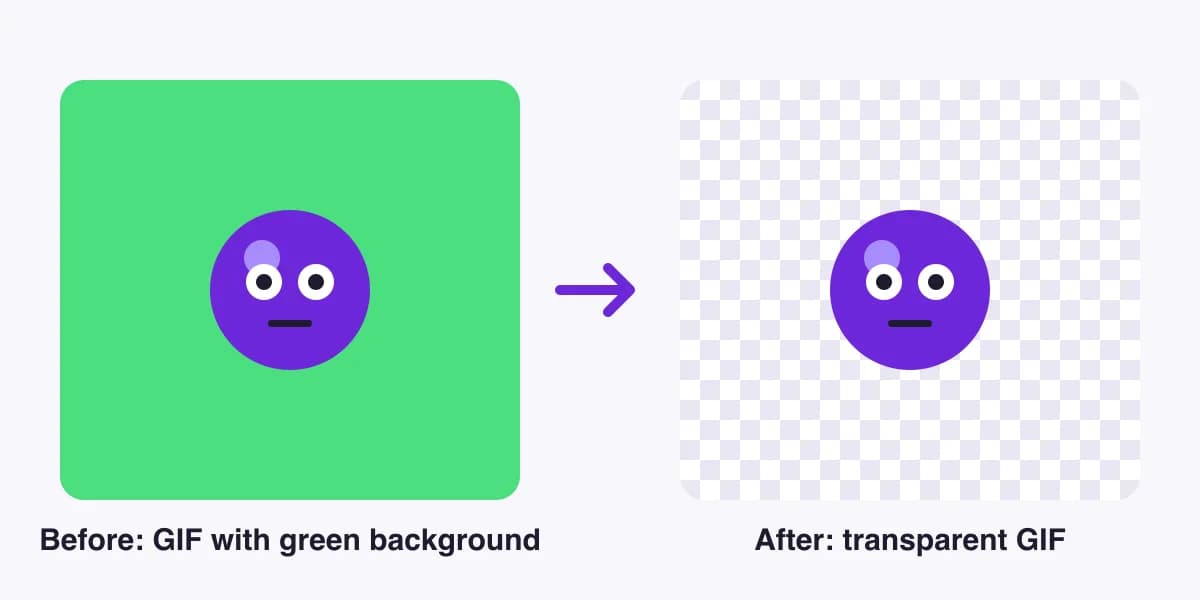
This GIF background remover works on the whole animation, not just the first frame. It reads every frame of your GIF, removes the background from each one, keeps the original timing and loop, and gives you a new GIF that sits cleanly on any page, chat or stream overlay. It all happens in your browser, so it’s fast and private.
How to remove the background from a GIF
- Add your GIF. Drag it onto the box above, paste it with Ctrl/⌘+V, or click Choose GIF. Not sure yet? Hit Try a sample GIF.
- Pick a method. The tool checks the GIF’s edges and suggests one. AI – any subject handles people, pets, products and real-world footage. Color key removes one flat color, which is perfect for logos, pixel art and green screens.
- Fine-tune. Toggle Before/After and switch the preview background (checkerboard, white, black) to spot leftovers. Nudge tolerance or Edge cleanup until the outline is clean.
- Download. Get a transparent GIF, a GIF on a new solid color, or a ZIP of transparent PNG frames for editing elsewhere.
AI or color key: which GIF background remover mode to use
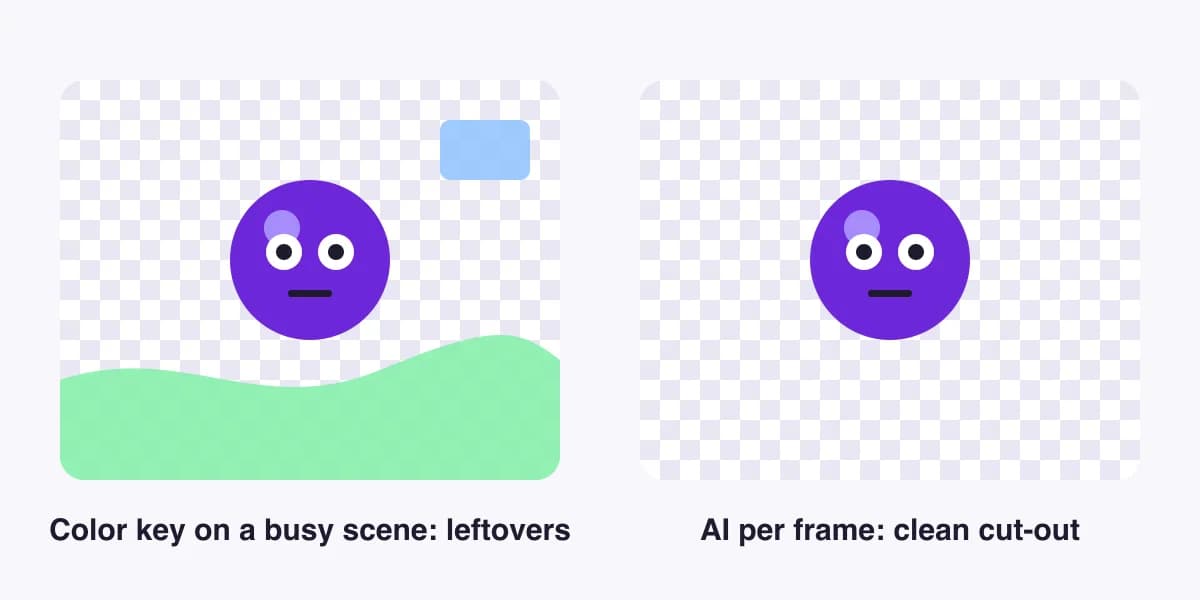
Most free tools only offer color key: you pick one color and every matching pixel is deleted. That’s great when the background really is one color, but it leaves patches behind on real footage, and it can punch holes in your subject when the same color appears inside it. We give you both, and our color key can be limited to the outer background so matching colors inside the subject survive.
| Your GIF | Best mode | Why |
|---|---|---|
| Logo, sticker, pixel art on a flat color | Color key | Instant, pixel-exact, keeps hard edges crisp |
| Green-screen or studio clip | Color key | The key color is known and even |
| Person, pet, product, reaction GIF | AI – any subject | Finds the subject even when the background moves or has many colors |
| Talking head, dancer, portrait | AI – people | Small, fast model trained on people |
What people make with transparent GIFs
- Stickers and emotes for Discord, Slack, Telegram and iMessage. A transparent background makes them look native in light and dark mode.
- Stream alerts and overlays for Twitch, YouTube and Kick: cut-out reactions and mascots that sit over gameplay.
- Website and email graphics: animated product shots, mascots and badges that blend into any section color.
- Memes and reaction GIFs you can drop onto new backgrounds or combine into new edits.
Tips for clean edges on animated GIFs
The GIF format only supports on/off transparency per pixel. Smooth, semi-transparent edges (hair, fur, motion blur) must be rounded to fully clear or fully solid, which is why some GIFs get a thin fringe. Three settings fix most of it:
- Edge matte: set it to the color of the page or chat the GIF will sit on. Edge pixels are blended toward that color, so the fringe disappears where it matters.
- Transparency threshold: lower keeps more of the soft edge; higher gives a tighter cut-out.
- Edge cleanup: shrinks the subject by 1–3 px to cut off a halo left by the old background.
If you need truly smooth edges, export animated WebP, APNG or WebM. These formats support full alpha and are often smaller than GIF. That export is part of Pro.
Free vs Pro
| Free | Pro | |
|---|---|---|
| File size / frames | 10 MB · 100 frames | 100 MB · 1,000 frames |
| Output size | Up to 480px | Full resolution |
| Formats | GIF, PNG frames | + WebP, APNG, WebM (smooth alpha) |
| Video → transparent GIF, batch | - | ✓ |
| Watermark | Never | Never |
| Price | $0 | $9.99/mo, $59.99/yr, or a $4.99 day pass |
How this GIF background remover compares
Classic GIF sites such as ezgif and Online GIF Tools use color key only, and the latter limits free use to personal projects. All-in-one editors like Canva, Kapwing and VEED can cut out GIFs with AI, but you need an account, a full editor and usually a paid plan, and some export video rather than GIF. We built a single-purpose tool: drop a GIF, get a transparent GIF back, with AI on every frame, free for commercial use, and nothing uploaded. (Competitor details checked October 2026.)
Working with other formats? Turn PNG frames into an animation with our PNG to GIF converter, or shrink the result with the GIF compressor.
GIF background remover FAQ
How do I remove the background from a GIF?
Drop your GIF into the tool above. Pick AI for photos, people and pets, or Color key for a flat background. The preview updates frame by frame; when it looks right, click Download GIF. It takes seconds and you don’t need an account.
Is this GIF background remover really free?
Yes. GIFs up to 10 MB and 100 frames are free, with no watermark, for personal and commercial use, up to 5 downloads a day. Pro adds full resolution, long GIFs, WebP/APNG/WebM export, video input and batch processing.
Are my GIFs uploaded to a server?
No. The free tool decodes, processes and re-encodes your GIF inside your browser. The AI model downloads once from a public CDN and then runs locally, so your file never leaves your device.
Can a GIF really have a transparent background?
Yes, but GIF transparency is on/off per pixel: a pixel is either fully clear or fully solid. That is why soft edges like hair can show a thin fringe. Set the edge matte to the color of the page the GIF will sit on, or export animated WebP or APNG (Pro), which support smooth alpha.
Why is there a white or colored outline around my GIF?
That halo is leftover anti-aliasing from the old background. Raise Edge cleanup by 1 px, adjust the transparency threshold, or set the edge matte to your target background color. For color key, a little more tolerance usually removes it.
Which is better for GIFs: AI or color key?
Color key is instant and pixel-perfect when the background is one flat color, such as logos, pixel art and green-screen clips. AI is better for real footage: people, pets, products and busy scenes. The tool suggests one automatically by checking the GIF’s border.
How long does it take?
Color key is near-instant. AI speed depends on your device: with a modern GPU (Chrome or Edge) a 50-frame GIF usually takes well under a minute; on older laptops it can take a few minutes. The first AI run also downloads the model once.
Can I remove the background from a video or MP4 and get a transparent GIF?
Video input is a Pro feature: upload an MP4 or MOV up to 60 seconds and export a transparent GIF, WebP or WebM. On the free plan, convert the clip to GIF first, then drop it here.
Can I use the transparent GIFs commercially?
Yes. GIFs you make with the free tool can be used for personal and commercial projects. You must own the rights to the original GIF. See our Terms for details.